
- Details
- Written by: Stanko Milosev
- Category: MVC 4
- Hits: 6500
I had XML like this:
<?xml version="1.0" encoding="utf-8"?>
<ArrayOfmyNode xmlns:xsi="http://www.w3.org/2001/XMLSchema-instance" xmlns:xsd="http://www.w3.org/2001/XMLSchema">
  <myNode>
    <Name>Echo one</Name>
    <Category>Reporting</Category>
    <Id>1</Id>
    <Workflow>
      <Application>Reporting</Application>
      <Name>EchoOne</Name>
      <Configuration>
        <ConfigItem>
          <Key>ReportSuccessToAddress</Key>
          <Value>echoOneSuccess - at - echoone.com</Value>
        </ConfigItem>
        <ConfigItem>
          <Key>ReportErrorToAddress</Key>
          <Value>echoOneError - at - echoone.com</Value>
        </ConfigItem>
        <ConfigItem>
          <Key>ReportSuccessCcAddress</Key>
          <Value>echoOneSuccessCc - at - echoone.com</Value>
        </ConfigItem>
      </Configuration>
    </Workflow>
  </myNode>
  <myNode>
    <Name>Echo two</Name>
    <Category>Reporting</Category>
    <Id>2</Id>
    <Workflow>
      <Application>Reporting</Application>
      <Name>EchoTwo</Name>
      <Configuration>
        <ConfigItem>
          <Key>ReportSuccessToAddress</Key>
          <Value>echoTwoSuccess - at - echoone.com</Value>
        </ConfigItem>
        <ConfigItem>
          <Key>ReportErrorToAddress</Key>
          <Value>echoTwoError - at - echoone.com</Value>
        </ConfigItem>
        <ConfigItem>
          <Key>ReportSuccessCcAddress</Key>
          <Value>echoTwoSuccessCc - at - echoone.com</Value>
        </ConfigItem>
      </Configuration>
    </Workflow>
  </myNode>
 </ArrayOfmyNode>
Instead of - at - should be @, I am having problems with spambot protection :)
And I wanted to extract all e-mails from ReportSuccessToAddress, ReportErrorToAddress and ReportSuccessCcAddress nodes.
Model I implemented as array in my view:
@model PlayingWithXmlInAspMvc.Models.PlayingWithXmlModel[]
Then I had to load XML from file:
XElement linqMyNodes = XElement.Load(Request.Url.AbsoluteUri + "PlayingWithXml.xml");
If you need to load XML from string, then use parse.
I have selected all myNode nodes in the XML:
IEnumerable<XElement> myLinqNodes = from myNodes in linqMyNodes.Elements("myNode") select myNodes;
After that in controller I have created model like:
PlayingWithXmlModel[] myModel = new PlayingWithXmlModel[myLinqNodes.Count()];
Extract every ConfigItem element for each myNode:
foreach (var myLinqNode in myLinqNodes)
{
	myModel[i] = new PlayingWithXmlModel();
	var Configurations = from configuration in myLinqNode.Elements("Workflow").Elements("Configuration").Elements("ConfigItem")
						 select configuration;
}
In previous line there is myModel[i] = new PlayingWithXmlModel(), which means that for every item in array you have to create object, in my case model.
Now I need to extract addresses from Configurations:
foreach (var Configuration in Configurations)
{
	if (Configuration.Element("Key") != null)
	{
		switch (Configuration.Element("Key").Value)
		{
			case "ReportSuccessToAddress":
				myModel[i].ReportSuccessToAddress = Configuration.Element("Value").Value.Replace(" ", string.Empty);
				break;
			case "ReportErrorToAddress":
				myModel[i].ReportErrorToAddress = Configuration.Element("Value").Value.Replace(" ", string.Empty);
				break;
			case "ReportSuccessCcAddress":
				myModel[i].ReportSuccessCcAddress = Configuration.Element("Value").Value.Replace(" ", string.Empty);
				break;
		}
	}
}
Where .Replace(" ", string.Empty) I needed to delete spaces in values.
On the end I will send model to my view like:
return View(myModel);
This article is just to show few examples of LinqToXml and passing model as array to the view. One small example you can see here.
- Details
- Written by: Stanko Milosev
- Category: MVC 4
- Hits: 6583
After creating controllers, for instance, like in example which I described here, and you want to "extend" index controller with additional parameter, then you have to introduce new router. In my case, in RouteConfig.cs (\MasterDetailDataTables\MasterDetailDataTables\App_Start\RouteConfig.cs) I did something like this:
        public static void RegisterRoutes(RouteCollection routes)
        {
            routes.IgnoreRoute("{resource}.axd/{*pathInfo}");

            //routes.MapRoute(
            //    name: "Default",
            //    url: "{controller}/{action}/{id}",
            //    defaults: new { controller = "MasterDetail", action = "Index", id = UrlParameter.Optional }
            //);

            routes.MapRoute(
                name: "MasterDetail",
                url: "{controller}/{action}/{category}",
                defaults: new { controller = "MasterDetail", action = "Index", category = UrlParameter.Optional }
            );
        }
As you can see, I commented default one, and added new one, where instead id I wrote category. Also in this line:
defaults: new { controller = "MasterDetail", action = "Index", category = UrlParameter.Optional }
Category is bold because I already forgot to change it in there part as well :)
From here.
- Details
- Written by: Stanko Milosev
- Category: MVC 4
- Hits: 6078
Like this:
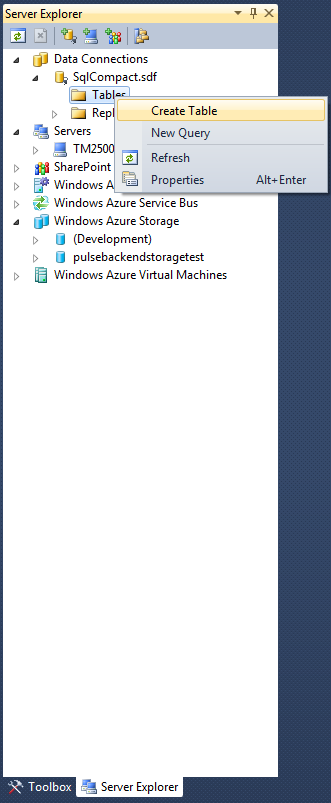
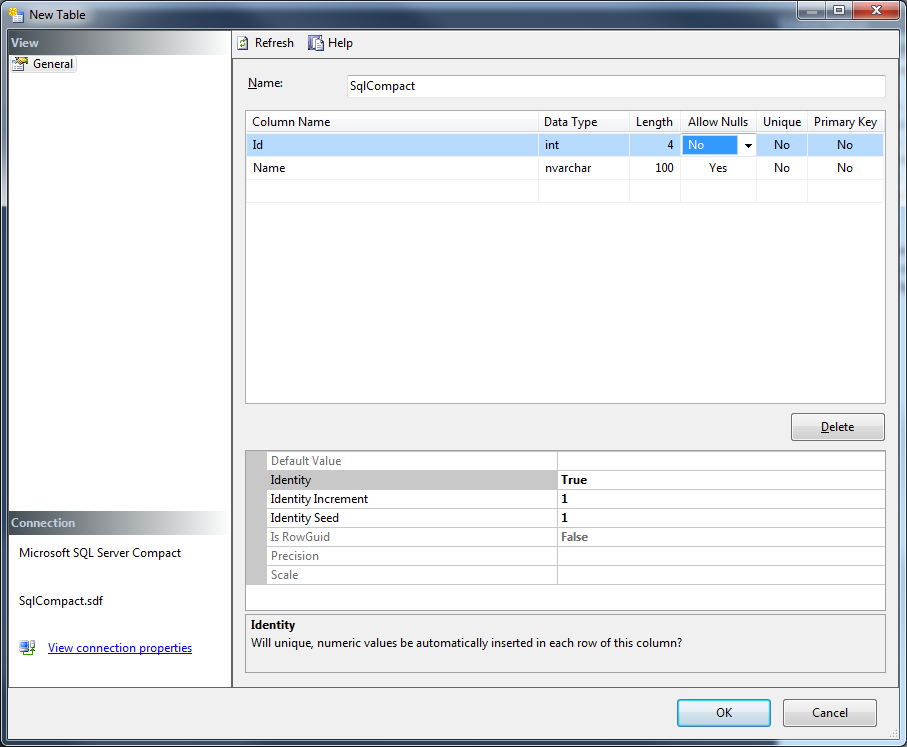
I have created table named "SqlCompact", with two fields Id and Name, where Id is not nullable and identity is set to true:
- Details
- Written by: Stanko Milosev
- Category: MVC 4
- Hits: 7881
This article I wrote using Host ASP.NET MVC Apps on Azure WebSite Without Spending a Cent on Databases
Start new project, choose MVC4 (probably it works with MVC3 also, but I was playing with MVC4).
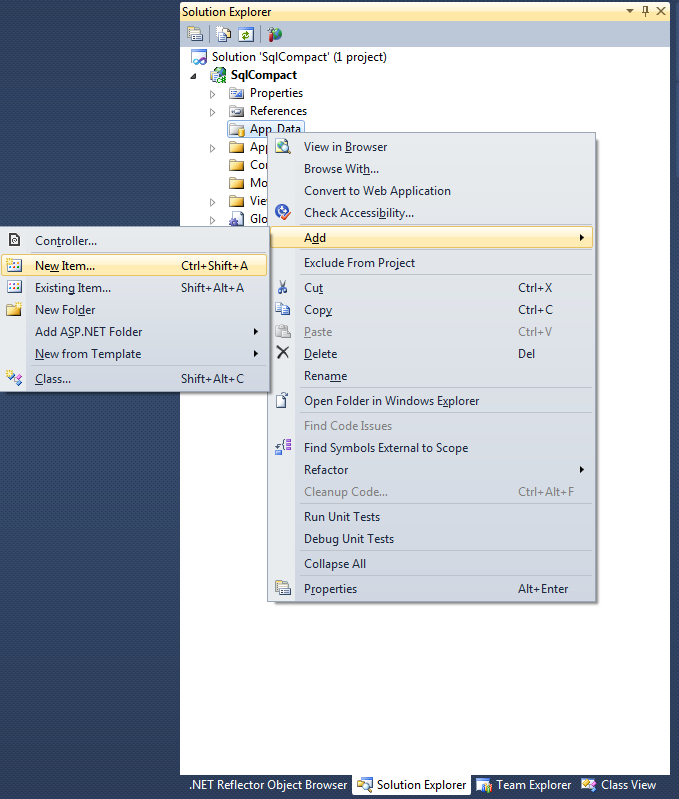
Right click on App_Data -> Add -> New Item:
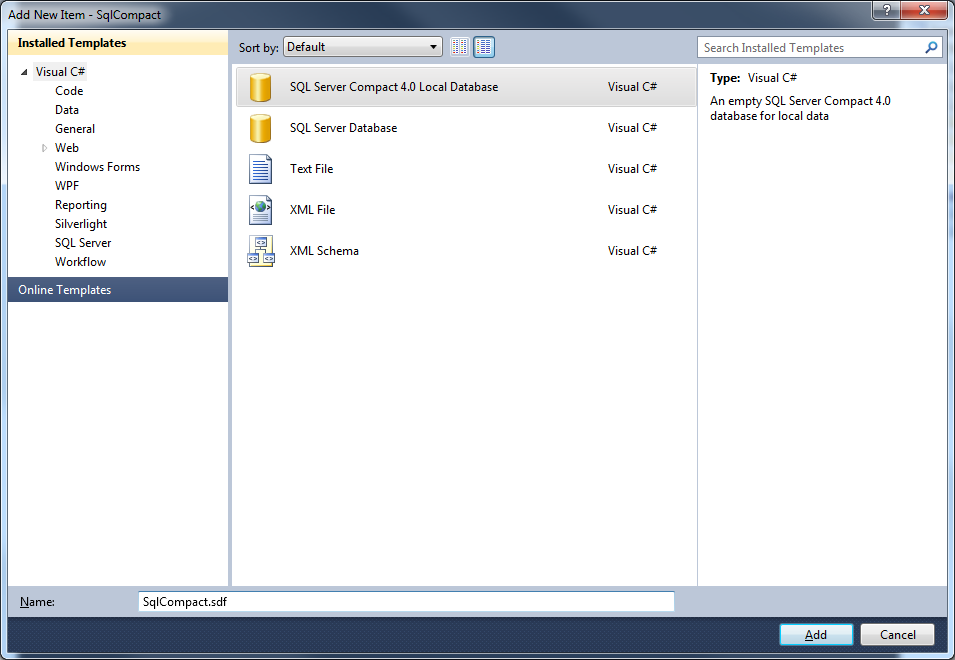
Then select SQL Server Compact 4.0 Local Database:
Then, open server explorer and click refresh:
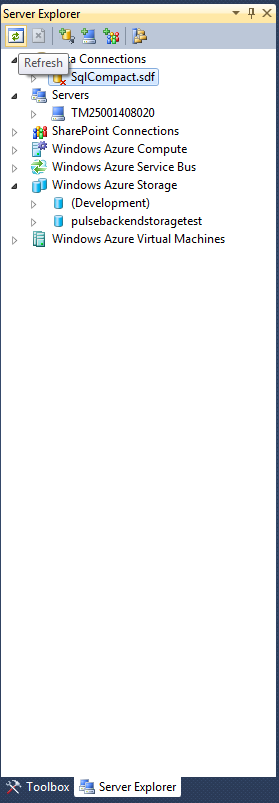
With this you will be connected to sql compact.
Now, right click on database (in my case SqlCompact.sdf), and click on properties:
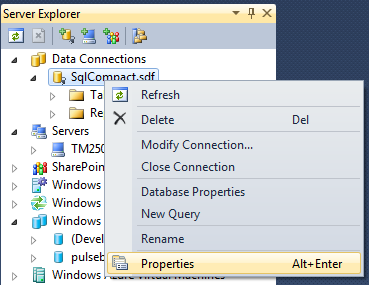
And there you can see connection string:
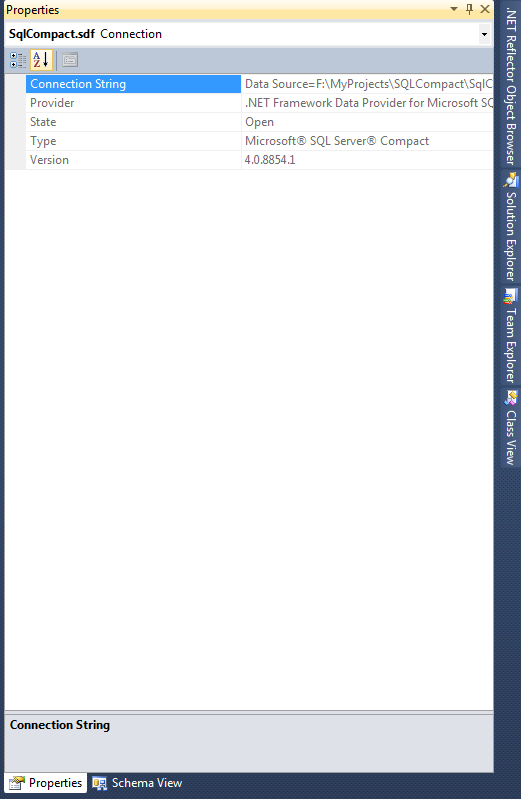
There you can see connection string, but instead of full path we will use |DataDirectory|, so in my case connection string looks like:
<connectionStrings>
	<add name="DefaultConnection" connectionString="Data Source=|DataDirectory|SqlCompact.sdf" providerName="System.Data.SqlClient"/>
</connectionStrings>
Note that providerName is System.Data.SqlClient, not System.Data.SqlServerCe.4.0, that is because I was receiving error:
Unable to retrieve metadata for 'SqlCompact.Models.SqlCompact'. Using the same DbCompiledModel to create contexts against different types of database servers is not supported. Instead, create a separate DbCompiledModel for each type of server being used.
Taken from here, later we will go back to System.Data.SqlClient. Also, note that Data Source is without slashes, I will show you later why.
Now lets try to create controllers and views, using scaffolding.
First add model like:
using System.ComponentModel.DataAnnotations;
using System.Data.Entity;

namespace SqlCompact.Models
{
    public class SqlCompactTable
    {
        [Key]
        public int Id { get; set; }
        public string MyName { get; set; }
    }

    public class DefaultConnection : DbContext
    {
        public DbSet SqlCompactTable { get; set; }

        public DbSet SqlCompacts { get; set; }
    }
}
It seems that EF doesn't like name of the column to be "Name", that's why I am using "MyName", also it seems that table will not be automatically created, so I created it manually, where I put ID as identity column.
Create controllers:
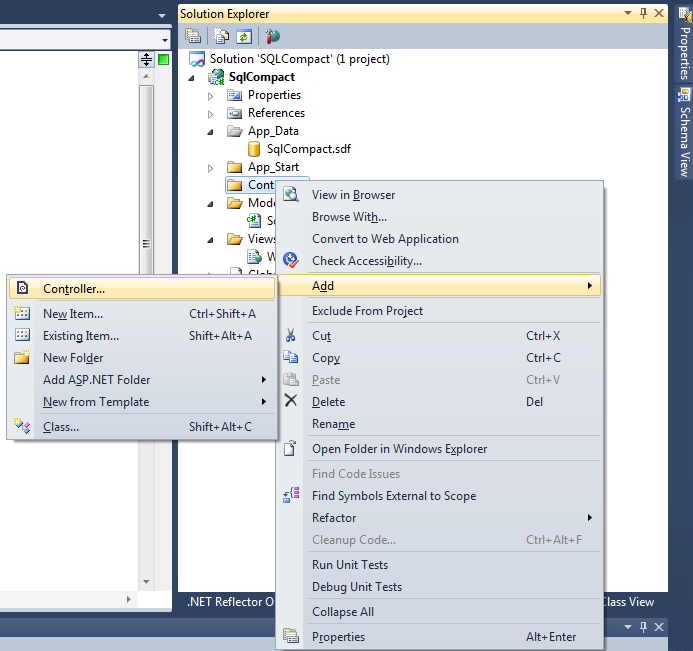
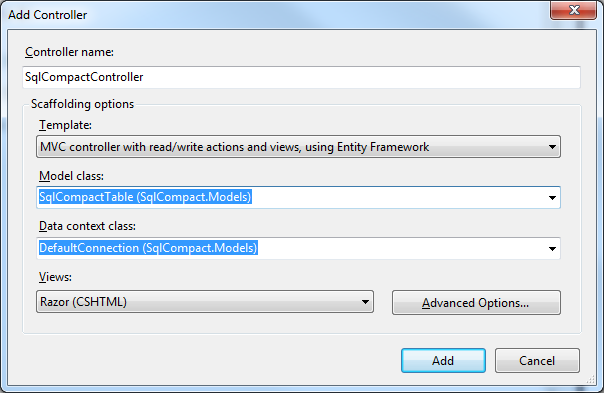
After creating controller change connectionString to use System.Data.SqlClient, something like:
<connectionStrings>
	<add name="DefaultConnection" connectionString="Data Source=|DataDirectory|SqlCompact.sdf" providerName="System.Data.SqlClient"/>
</connectionStrings>
Otherwise, when you start application, you will receive error like:
Exception Details: System.ComponentModel.Win32Exception: The network path was not found
My application you can download from here. Version with created table, few records, and prepared for publishing is here.
Next thing is to deploy application to windows azure.
Go to manage.windowsazure.com, register / sign in -> click on web sites -> click new:
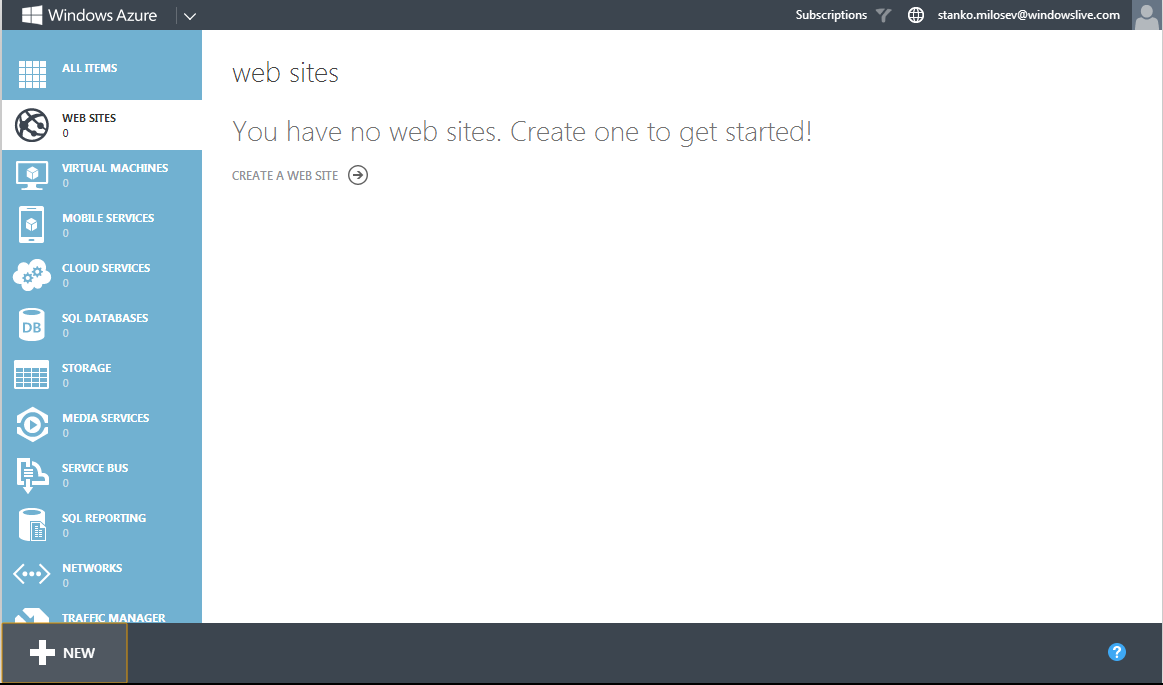
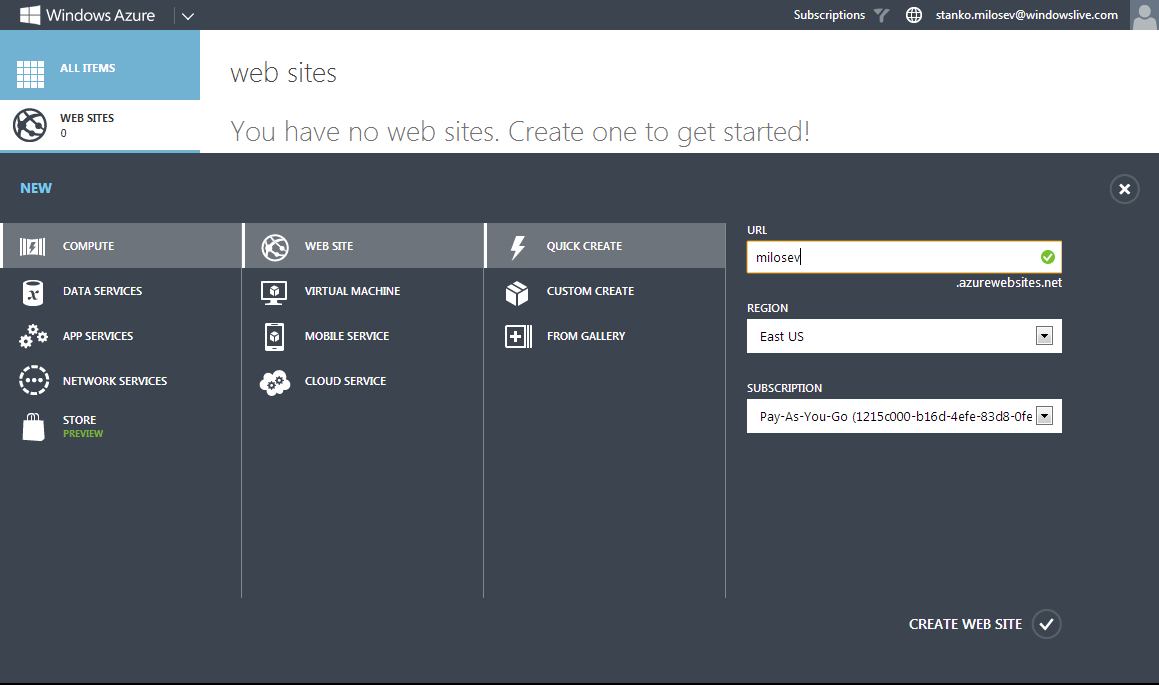
Click quick create, and in url write name of your web site:
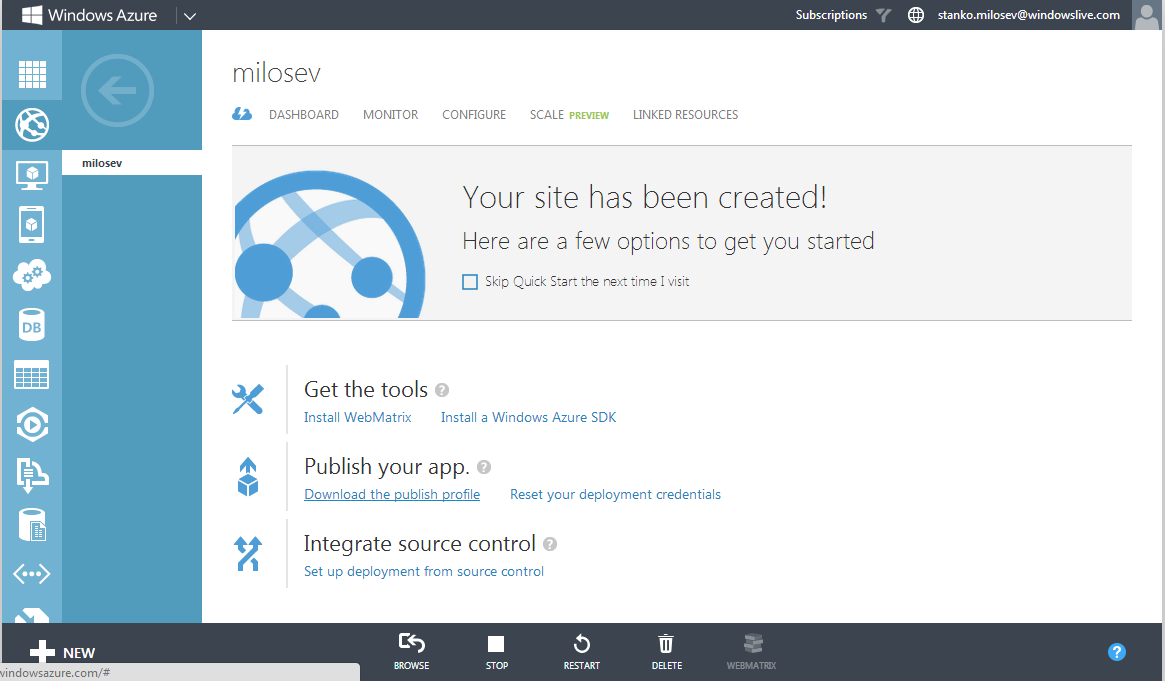
Now, click on your web site (in my case milosev), and click download the publish profile:
Now, right click on your project, and click publish:
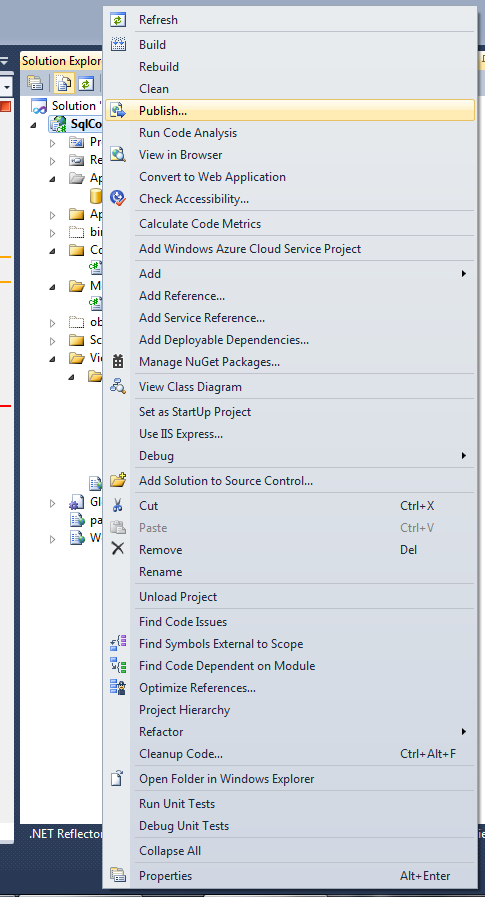
Click on import:
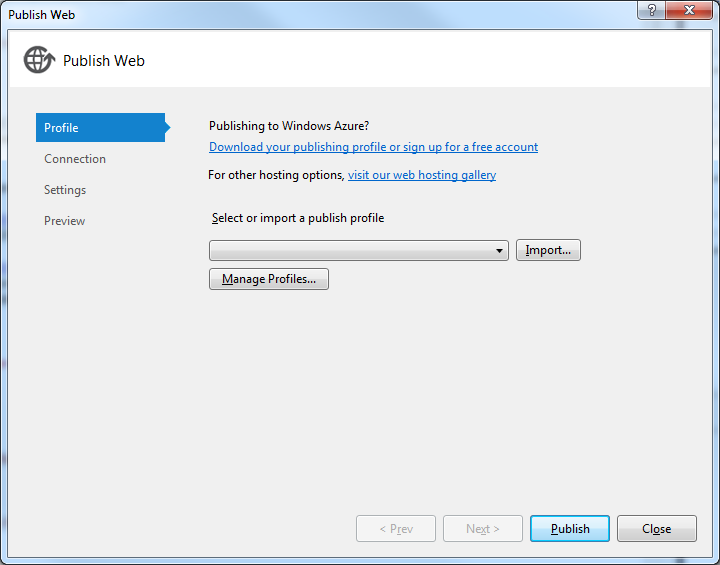
And choose file which you downloaded in previous step. After you can click publish, or you can go further, by clicking next and change the setup as you like.
In your Web.config add <customErrors mode="Off"/> under the <system.web> node, to be able to see errors, and if you are receiving error like:
Unable to find the requested .Net Framework Data Provider. It may not be installed.
Then you will have to install EntityFramework.SqlServerCompact, using NuGet:
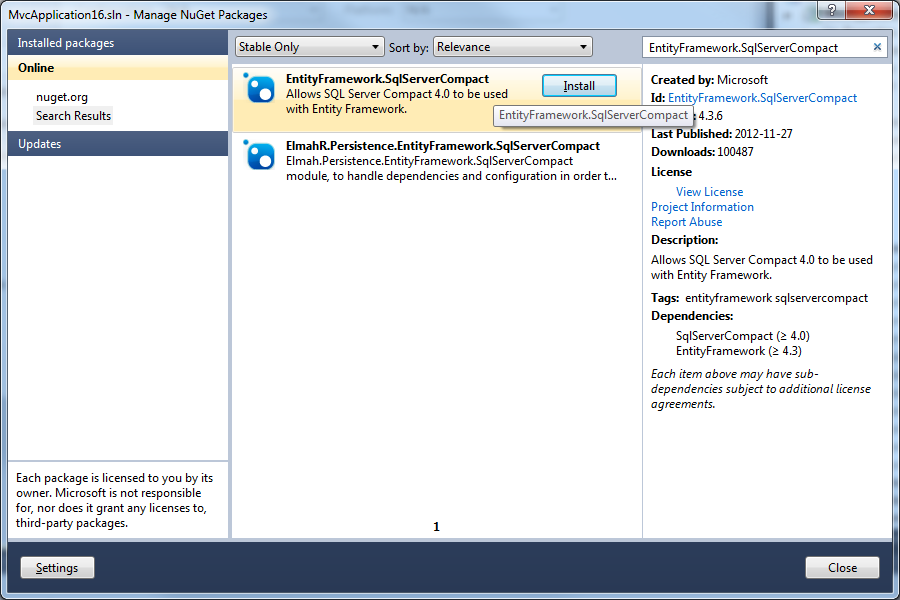
Taken from here.