
- Details
- Written by: Stanko Milosev
- Category: JavaScript
- Hits: 6346
Title taken from here.
Here is my example. HTML part I need just to execute javascript files, so it looks like this:
<!DOCTYPE html>
<html>
	<head>
		<script type="text/javascript" src="/jquery-2.1.1.js"></script>
		<script type="text/javascript" src="/index.js"></script>
	</head>
	<body>
		test
	</body>
</html>
index.js:
$.getScript("myScript.js", function() {
	debugger;
	alert("Load complete!");
	myFunction();
});
myScript.js:
function myFunction() {
	debugger;
	alert("tfqseftr");
}
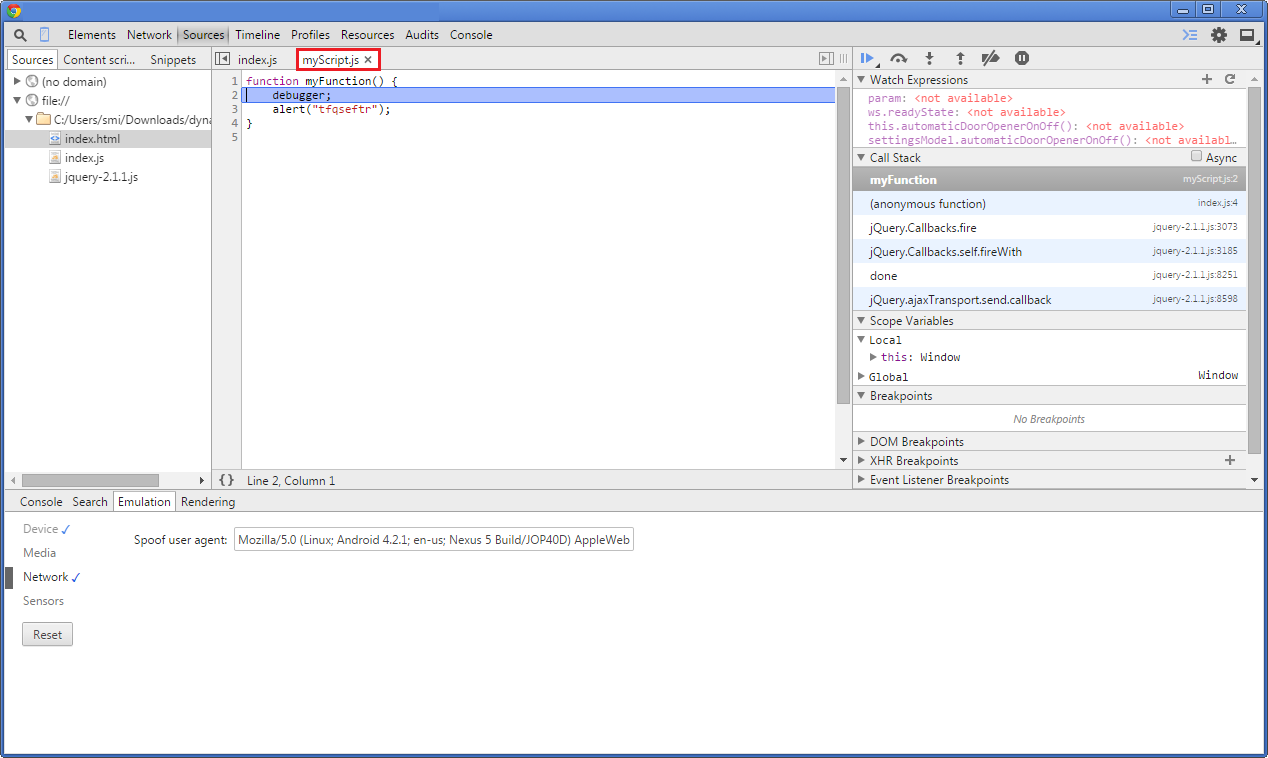
//@ sourceURL=myScript.js
Notice line //@ sourceURL=myScript.js, without that line when we debug from Chrome it looks like this:
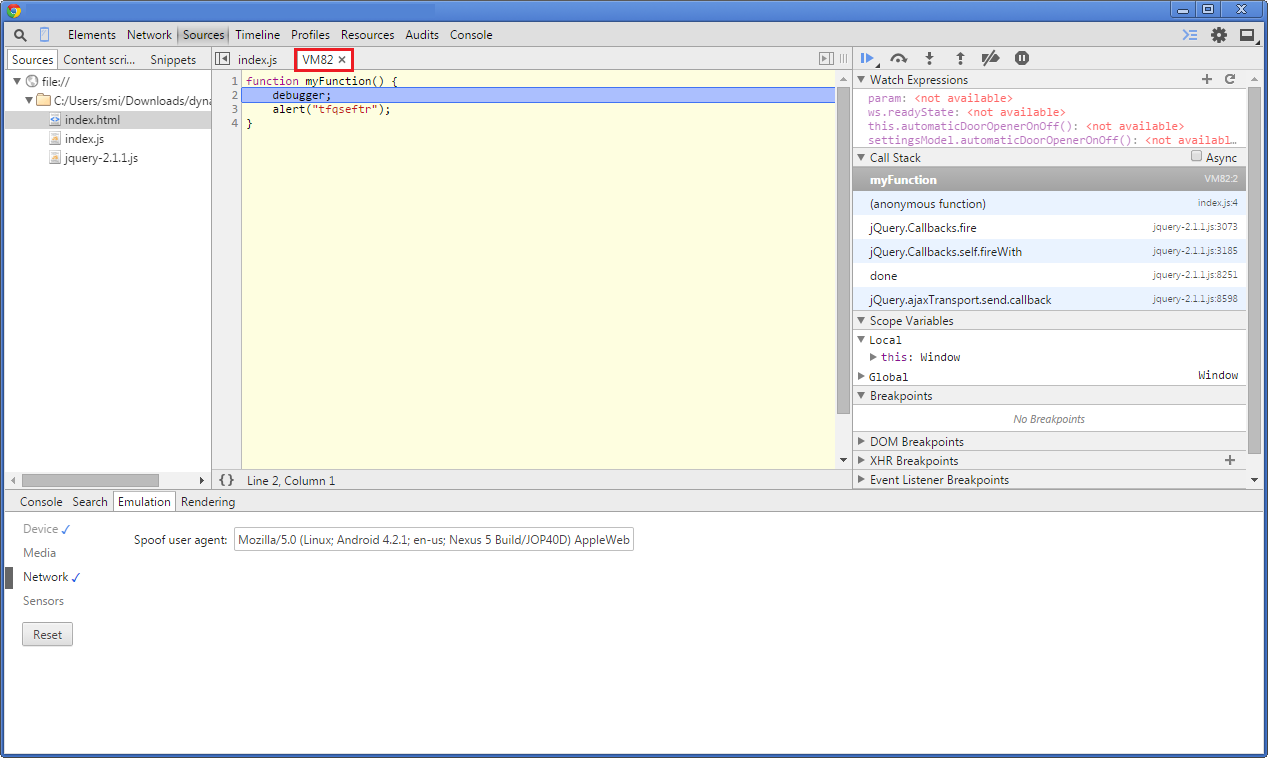
With //@ sourceURL=myScript.js line will look like:
- Details
- Written by: Stanko Milosev
- Category: JavaScript
- Hits: 5313
Check this code:
aTest = function () {
	["a", "b", "c", "d"].forEach(function (event) {alert(event)} )
}

aTest();
After executing it, it will popup "a", "b", "c", "d"
- Details
- Written by: Stanko Milosev
- Category: JavaScript
- Hits: 7217
According to Wikipedia: "Namespaces provide a level of direction to specific identifiers, thus making it possible to distinguish between identifiers with the same exact name."
Also this is good article to read, and this article you should also read (focus on "Using an Object Constructor").
For example, let's say we want to have method which we will call it like my.namespace.SomeText.apply(); to achive this first we have to define my:
window.my = window.my || {};
then namespace:
window.my.namespace = window.my.namespace || {};
Don't forget semicolons otherwise you will receive error "Uncaught TypeError: object is not a function".
Whole example would go like this:
window.my = window.my || {};
window.my.namespace = window.my.namespace || {};

(function (ns) {
	var someTextModel = {
			someText: "test"
		}

	ns.SomeText = {
		apply: function () {
			ko.applyBindings(someTextModel)
		}
	}
}(my.namespace));
Notice that I executed function with parameter "my.namespace" which means that ns parameter of a function will be my.namespace.
HTML part looks like:
<!DOCTYPE html>
<html>

	<head>
		<script type="text/javascript" src="/knockout-3.2.0.js"></script>
		<script type="text/javascript" src="/index.js"></script>
	</head>

	<body onload="my.namespace.SomeText.apply();">
			Some text: <span data-bind="text: someText"></span>
	</body>

</html>
Here notice onload="my.namespace.SomeText.apply();"
Example you can see here.
---
One more example.
JS:
window.my = window.my || {};
window.my.namespace = window.my.namespace || {};
window.my.namespace.myTest = window.my.namespace.myTest || {};

(function(ns) {
	function myTest() {
		return {
			iAm: function(param) {
				alert(param);
			}
		}
	}
	window.my.namespace.myTest = myTest;
})(window.my.namespace.myTest)
From console you can write something like:
window.my.namespace.myTest().iAm()
Example you can see here.
---
Another example. Consider following code:
window.my = window.my || {};
window.my.namespace = window.my.namespace || {};

(function () {
	var makeMyMethod = function (myMessage) {
		return {
			doTheAlert: function () {
				alert(myMessage);
			}
		};
	};

	myMethod = makeMyMethod("I am test.");

	window.my.namespace = {
		myMethod: myMethod
	}

}(window.my.namespace));

window.my.namespace.myMethod.doTheAlert();
With line of code:
window.my.namespace.myMethod.doTheAlert();
We executed method doTheAlert which we "attached" to our namespace with code:
window.my.namespace = {
myMethod: myMethod
}
Here I wrote little bit more about namespaces.
- Details
- Written by: Stanko Milosev
- Category: JavaScript
- Hits: 5562
Just short note to my self. If getElementById doesn't work, most probably I forgot window.onload, because if page is not loaded yet, and javascript is executed, then my element with ID will not exist. So, html part looks like:
<!DOCTYPE html>
<html>

	<head>
		<script type="text/javascript" src="/arrayAssignment.js"></script>
	</head>

	<body>
		Variable <strong>A</strong>: <span id='varA'></span>
		<br/>
		<strong>var b = a</strong>: <span id='b=a'></span>
		<br/>
		b.splice(3);
		<br/>
		Variable <strong>A</strong>: <span id='bSplice'></span>
		<br/>
	</body>

</html>
and javascript part should lok something like:
window.onload = function() {
	var a = [];
	var b = [];
	a = [1, 2, 3, 4]
	b = a;
	document.getElementById("varA").innerHTML = a;
	document.getElementById("b=a").innerHTML = b;
	b.splice(3);
	document.getElementById("bSplice").innerHTML = a;
};
This is just short note to myself since I always forget onLoad part :)