- Details
- Written by: Stanko Milosev
- Category: JavaScript
- Hits: 8318
This is my second article about namespaces, first article became too long, so I decided to write this one as new article.
Idea was to write my method which will load the data from my real estate responsive design hobby application, but for this small example I will just populate one div field.
So, first this is how my HTML look like:
<!DOCTYPE html>
<html>

	<head>
		<script type="text/javascript" src="/rs.namespaces.js"></script>
		<script type="text/javascript" src="/rs.mytest.js"></script>
		<script type="text/javascript" src="/rs.bootstrapper.js"></script>

	</head>

	<body>
		<div id="hereWillBeSomething"></div>
	</body>

</html>
Then namespaces:
window.rs = window.rs || {};
window.rs.myNameSpace = window.rs.myNameSpace || {};
window.rs.myNameSpace.MyTest = window.rs.myNameSpace.MyTest || {};
These two are easiest part, and I think there is no need to explain.
Next part is rs.mytest.js:
(function(ns){
	function MyTest() {
		var self = this;

		self.myMethod = function (myMessage) {
			document.getElementById("hereWillBeSomething").innerHTML = myMessage;
		}
	}

	ns.MyTest = MyTest;
}(window.rs.myNameSpace))
With that code we prepared our method "myMethod" but still we can not use it. Here just notice two lines:
var self = this;
and
ns.MyTest = MyTest;
Now let's check rs.bootstrapper.js, here we will prepare our method "myMethod" to be usable:
(function rsBootstrap(ns){
	var init = function () {
		var myTest = new window.rs.myNameSpace.MyTest();

		window.rs.myNameSpace.MyAnotherTest = myTest;
	}

	ns.Bootstrapper = { init: init }
}(window.rs));
Here notice that if instead of:
ns.Bootstrapper = { init: init}
we write:
ns = { init: init}
we will not be able to call ns.init...
Now on load event we can do something like:
window.onload = function () {
	window.rs.Bootstrapper.init();

	window.rs.myNameSpace.MyAnotherTest.myMethod("test")
}
With line:
window.rs.Bootstrapper.init();
we actually prepared our method "myMethod" to be accessible / usable, and we executed our method:
window.rs.myNameSpace.MyAnotherTest.myMethod("test")
Example you can download from here.
Also, this is good article to read, focus on "Using an Object Constructor".
- Details
- Written by: Stanko Milosev
- Category: JavaScript
- Hits: 5622
Just a short note to my self. To change caption of button declared in HTML like:
<button id="animationTwoStart">Click me</button>
Use JS like:
document.getElementById("animationTwoStart").innerHTML = "Clicked"
- Details
- Written by: Stanko Milosev
- Category: JavaScript
- Hits: 5690
HTML:
<!DOCTYPE html>
<html>

	<head>
		<link type="text/css" rel="stylesheet" href="/index.css">
		<script type="text/javascript" src="/index.js"></script>
	</head>

	<body>
		<div class="animation"></div>
	</body>

</html>
JS:
var spritePosition,
	imageLeft,
	imageTop,
	step;

window.onload = function () {
	spritePosition = 100;
	imageLeft = 0;
	imageTop = 0;
	step = 10;

	window.setInterval (function () {
		document.getElementsByClassName('animation')[0].style.backgroundPosition = spritePosition + "px 0px";
		spritePosition = spritePosition + 108;
	}, 100);

	document.getElementsByTagName('html')[0].addEventListener("keydown", function(e){
			if (e.keyCode == 38) { //up
				imageTop = imageTop - step;
				document.getElementsByClassName('animation')[0].style.top = imageTop + "px";
			};
			if (e.keyCode == 40) { //down
				imageTop = imageTop + step;
				document.getElementsByClassName('animation')[0].style.top = imageTop + "px";
			};
			if (e.keyCode == 37) { //left
				imageLeft = imageLeft - step;
				document.getElementsByClassName('animation')[0].style.left = imageLeft + "px";
			};
			if (e.keyCode == 39) { //right
				imageLeft = imageLeft + step;
				document.getElementsByClassName('animation')[0].style.left = imageLeft + "px";
			};
		}, false);
};
Things to notice in JS code are window.setInterval - with that we have infinite loop, and document.getElementsByTagName('html')[0].addEventListener("keydown", function(e){ - with that we are listening key events, so you can move image around page.
CSS:
.animation {
	width: 102px;
	height: 120px;
	background-image: url("scottpilgrim_multiple.png");
	background-position: 0px 0px;
	position: absolute;
}
Sprite I have stolen from this web site, and example you can download from here.
- Details
- Written by: Stanko Milosev
- Category: JavaScript
- Hits: 6129
Title taken from here.
Here is my example. HTML part I need just to execute javascript files, so it looks like this:
<!DOCTYPE html>
<html>
	<head>
		<script type="text/javascript" src="/jquery-2.1.1.js"></script>
		<script type="text/javascript" src="/index.js"></script>
	</head>
	<body>
		test
	</body>
</html>
index.js:
$.getScript("myScript.js", function() {
	debugger;
	alert("Load complete!");
	myFunction();
});
myScript.js:
function myFunction() {
	debugger;
	alert("tfqseftr");
}
//@ sourceURL=myScript.js
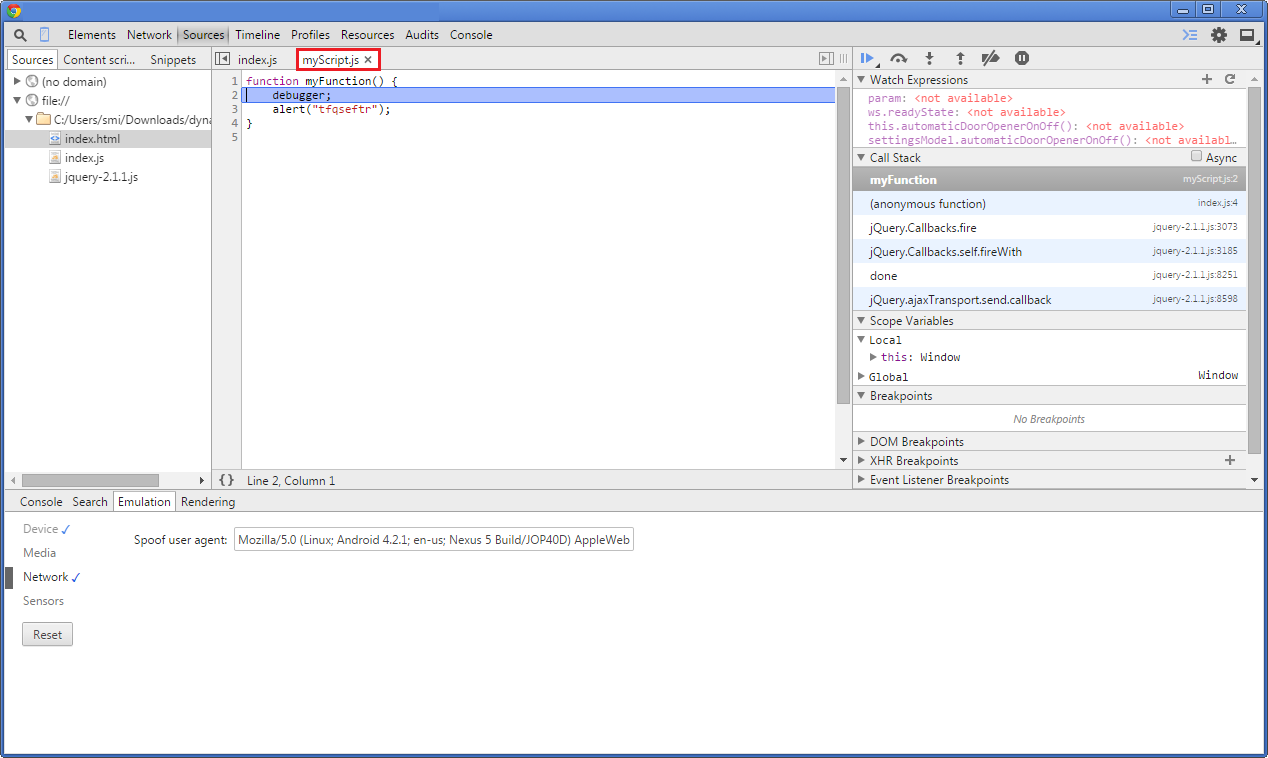
Notice line //@ sourceURL=myScript.js, without that line when we debug from Chrome it looks like this:
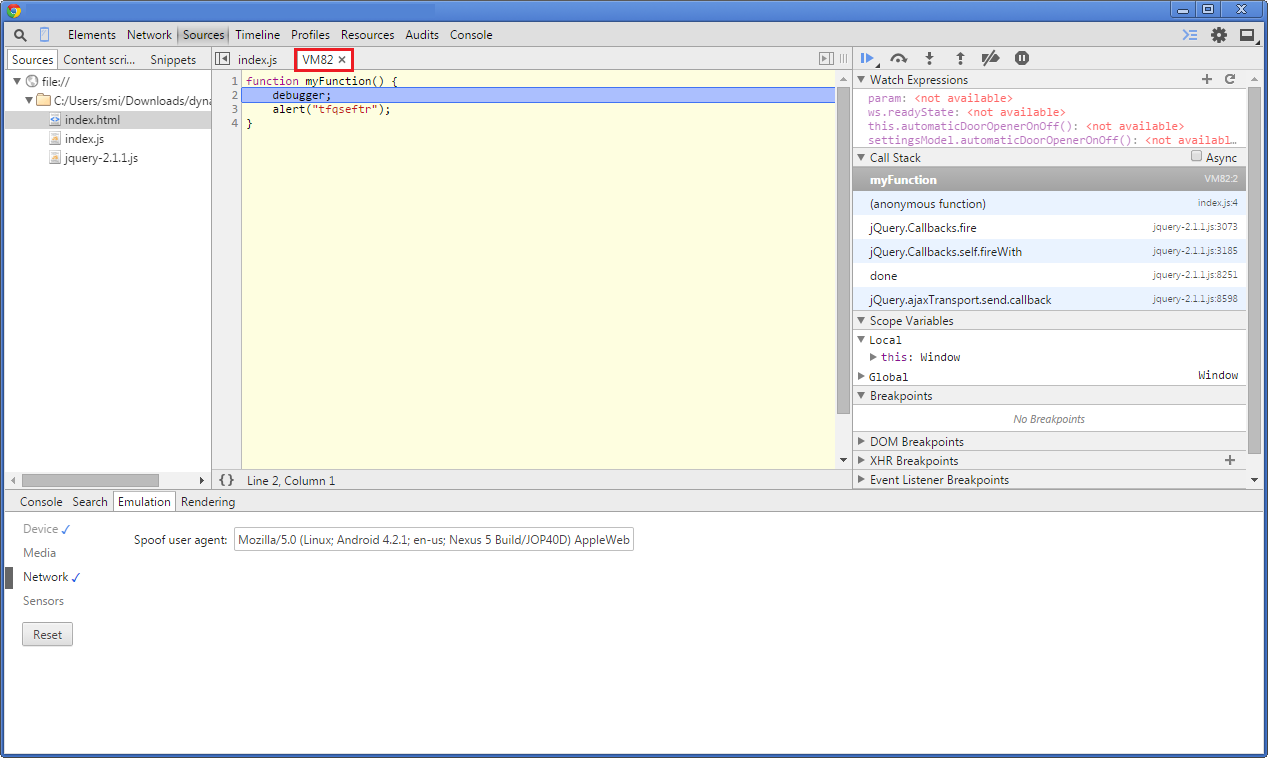
With //@ sourceURL=myScript.js line will look like: