
- Details
- Written by: Stanko Milosev
- Category: JavaScript
- Hits: 4699
Consider following example:
var Foo=function () {
	var number = 1;
	self.number = 1;
}

Foo.prototype.bar = function () {
	console.log("test");
};

var foo = new Foo();

foo.bar();
Notice here that in line Foo.prototype.bar = function () I didn't write "var".
This code will work perfectly, in console you will see "test".
Now check following code:
var Foo=function () {
	var number = 1;
	self.number = 1;
	return {inc: function() {
		self.number = self.number + 1;
	}}
}

Foo.prototype.bar = function () {
	console.log("test");
};

var foo = new Foo();

foo.bar();
This code will not work, we will receive error "Uncaught TypeError: undefined is not a function", because with return we will loose "this". Solution is to add return this:
var Foo=function () {
	var number = 1;
	self.number = 1;
	return this;
}

Foo.prototype.bar = function () {
	console.log("test");
};

var foo = new Foo();

foo.bar();
- Details
- Written by: Stanko Milosev
- Category: JavaScript
- Hits: 4595
Just one simple example about private and public methods in JavaScript.
Check this code in JS:
(function (ns) {
	function myCreator () {
		var self=this;

		function privateMethod() {
			alert("Hi I am private method and I can be executed only within myCreator class (I will be never called)");
		}

		self.publicMethod = function () {
			document.getElementById("publicMethodCall").innerHTML = "Hi, I am called from publicMethod";
		}

	}
	ns.myCreator = myCreator;
}(window.privateAndPublic))
Here you can see how private method is declared:
function privateMethod
and public method:
self.publicMethod
When you open console and check what newly created object has, you will see that there is no privateMethod (because it is inaccessible):
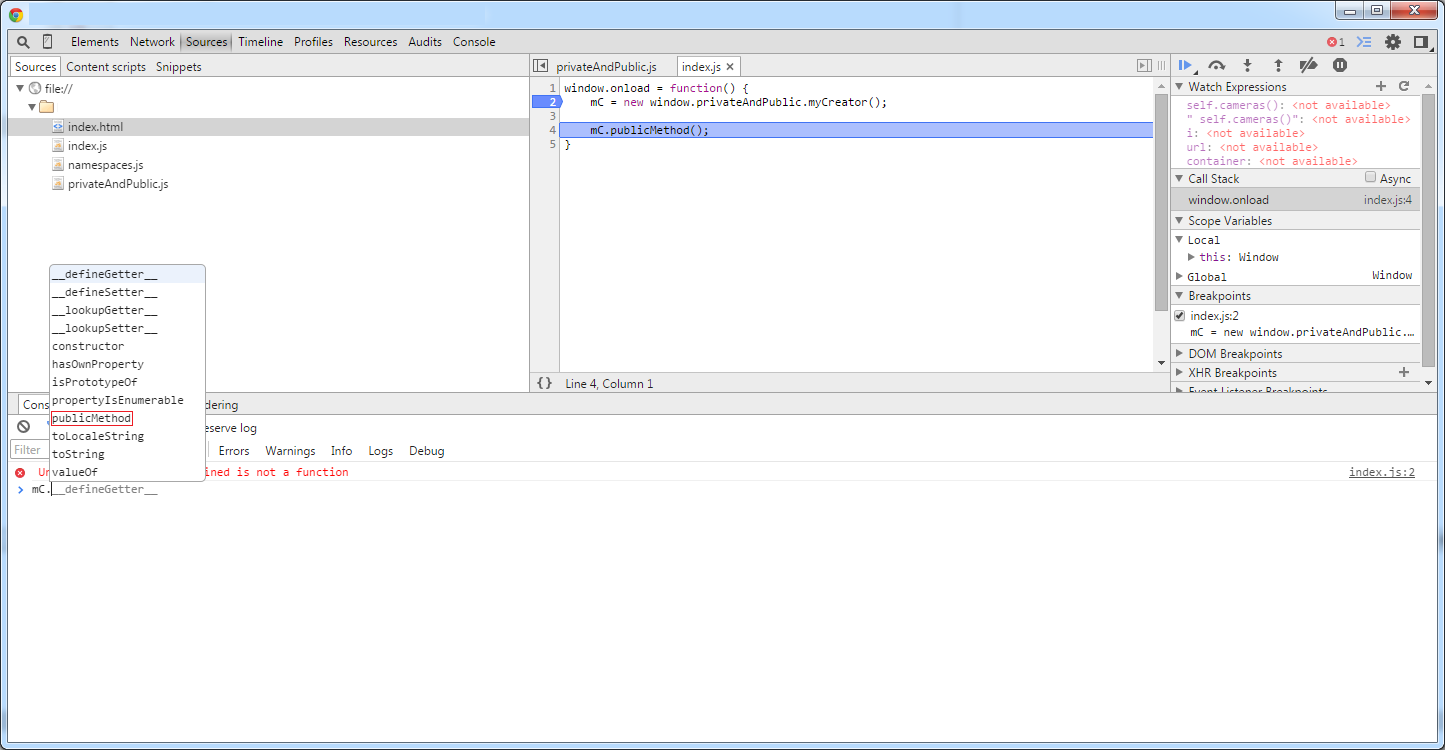
Example download from here.
- Details
- Written by: Stanko Milosev
- Category: JavaScript
- Hits: 4555
Here and here I already explained some ways of introducing methods in javascript, and now i will show one more way.
Let's say we have JS like:
(function (ns) {
	function myCreator () {
		var self=this;

		function privateMethod() {
			alert("Hi I am private method and I can be executed only within myCreator class (I will never be called)");
		}

		self.publicMethod = function () {
			document.getElementById("publicMethodCall").innerHTML = "Hi, I am called from publicMethod";
		}

	}
	ns.myCreator = myCreator;
}(window.privateAndPublic))
Then, we introduce JS like:
(function (ns) {

	function myCreatorReturn() {
		var self = this;
		self.myCreator = new window.privateAndPublic.myCreator();

		return {
			myCreator: self.myCreator
		}
	}

	ns.myCreatorReturn = myCreatorReturn;

}(window.myReturn))
Here notice line:
self.myCreator = new window.privateAndPublic.myCreator();
Now we can call method "publicMethod" like:
window.onload = function() {
	mCR = new window.myReturn.myCreatorReturn();

	mCR.myCreator.publicMethod();
}
Notice line:
mCR.myCreator.publicMethod();
Example download from here.
- Details
- Written by: Stanko Milosev
- Category: JavaScript
- Hits: 4839
One my extended example of listing 5.1.11 from the book Secrets of the JavaScript Ninja.
HTML I will use just to call JS:
<!DOCTYPE html>
<html>

	<head>
		<script type="text/javascript" src="/index.js"></script>
	</head>

	<body>
	</body>
</html>
JS
Function.prototype.curry = function() {
	var fn = this,
		args = Array.prototype.slice.call(arguments);
		return function () {
			return fn.apply(this, args.concat(Array.prototype.slice.call(arguments)));
		};
}

function Test(a, b, c) {
	console.log("Ok I am here and arguments are: " + a + ", " + b + ", " + c + ", ")
}

testCurry = Test.curry(1, 2, 3);
testCurry();
If you look in to console, you will see the result:
Ok I am here and arguments are: 1, 2, 3,